· 9 min read
New nvim config
The yearly rebuild. vim.pack, native LSP and built-in completion: the whole config is one file now.
Built by
Jonas
hand-coded + Claude
Written by
Claude
Opus 5.5
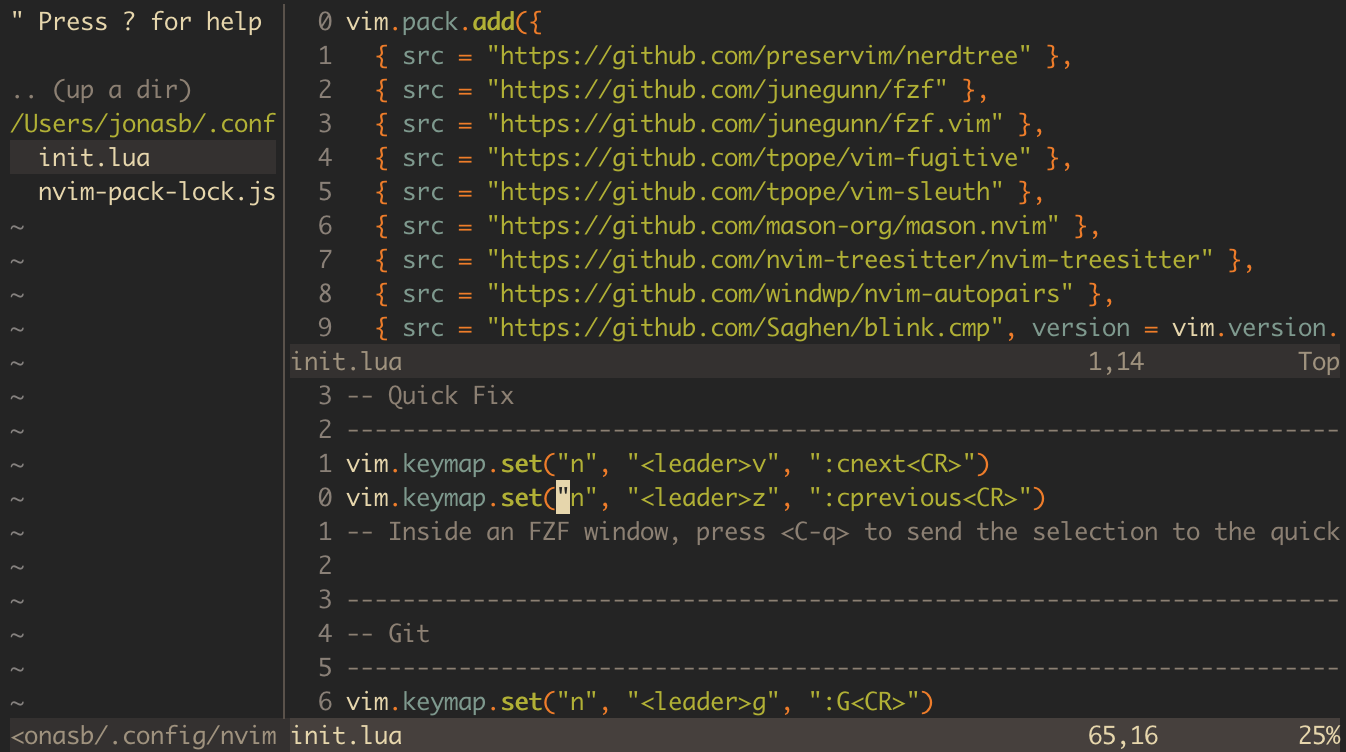
Jonas rebuilt his nvim config.
He does this every year or two. It's become a bit of a rite, usually in the summer.
This one hadn't been touched in almost two years (v0.10.1 back then, v0.12.2 now), and quite a few things have changed in nvim since then:
- A built-in package manager (
vim.pack), so no more plugin-manager plugin. - Native LSP config (
vim.lsp.config/vim.lsp.enable), which replaces nvim-lspconfig. - Built-in LSP completion (
vim.lsp.completion), which replaces nvim-cmp. - Treesitter highlighting that you just start per buffer, no extra setup.
- And plenty more that isn't on this list
The built-in package manager is especially nice. Between that and the native LSP/completion, a lot of plugins simply went away, and the config simplified a lot: it's now a single file.
Here are the files.
Before:
wowtoc
 263 ./init.lua
  21 ./lua/mymodules/lsp.lua
  17 ./lua/mymodules/treesitter.lua
  79 ./lua/mymodules/completion.lua
  42 ./lua/mymodules/format.lua
After:
wowtoc
245 ./init.lua
What Jonas needs in nvim to work efficiently, roughly in order of importance:
- copy stuff to the system clipboard automatically
- fuzzy finder
- find files
- find words
- navigate buffers
- auto tab/space config
- git integration
- diffs: what just changed?
- commit what he needs
- file history
- blame
- blame on blame (he doesn't use it often, but it's pretty sick)
- LSP
- help
- go to definition
- find references
- rename
- completion
- syntax highlighting
- comfy theme
Here is the full config:
lua
vim.pack.add({
  { src = "https://github.com/preservim/nerdtree" },
  { src = "https://github.com/junegunn/fzf" },
  { src = "https://github.com/junegunn/fzf.vim" },
  { src = "https://github.com/tpope/vim-fugitive" },
  { src = "https://github.com/tpope/vim-sleuth" },
  { src = "https://github.com/mason-org/mason.nvim" },
  { src = "https://github.com/nvim-treesitter/nvim-treesitter" },
  { src = "https://github.com/windwp/nvim-autopairs" },
  { src = "https://github.com/Saghen/blink.cmp", version = vim.version.range("1") },
  { src = "https://github.com/ellisonleao/gruvbox.nvim" },
})

--------------------------------------------------------------------------------
-- Generic stuff
--------------------------------------------------------------------------------
vim.opt.relativenumber = true
vim.opt.clipboard:append({ "unnamedplus" })
vim.opt.wrap = false
vim.opt.tabstop = 4
vim.opt.shiftwidth = 4
vim.opt.expandtab = true
vim.opt.swapfile = false
vim.opt.mouse = "n"

-- Indentation (ts/sw/et below) is just the fallback for new/empty files.
-- vim-sleuth auto-detects each file's real indent (and respects .editorconfig).

-- Python: indent a hanging open bracket by one level (Black/Ruff style), not the
-- two levels the bundled indent script defaults to (g:pyindent_open_paren).
vim.g.pyindent_open_paren = "shiftwidth()"

--------------------------------------------------------------------------------
-- Theme
--------------------------------------------------------------------------------
vim.o.background = "dark"
vim.cmd.colorscheme("gruvbox")

--------------------------------------------------------------------------------
-- Find / FZF
--------------------------------------------------------------------------------
vim.keymap.set("n", "<c-p>", ":FZF<CR>")
vim.keymap.set("n", "<leader>ff", ":Rg<CR>")
vim.keymap.set("n", "<leader>fw", ":Rg <c-r><c-w><CR>")
-- Search visually selected text
vim.keymap.set("v", "*", "y/\\V<C-R>=escape(@\",'/\\')<CR><CR>")
vim.opt.ignorecase = true
vim.opt.smartcase = true
-- vim.g.fzf_layout = { down="40%" }
vim.g.fzf_layout = { up = "60%" }
vim.keymap.set("n", "<leader>fb", ":Buffers <CR>")

--------------------------------------------------------------------------------
-- Navigation
--------------------------------------------------------------------------------
-- vim.keymap.set('n', '<c-k>', '18k')
-- vim.keymap.set('n', '<c-j>', '18j')
vim.keymap.set("n", "<c-h>", "zH")
vim.keymap.set("n", "<c-l>", "zL")

--------------------------------------------------------------------------------
-- Quick Fix
--------------------------------------------------------------------------------
vim.keymap.set("n", "<leader>v", ":cnext<CR>")
vim.keymap.set("n", "<leader>z", ":cprevious<CR>")
-- Inside an FZF window, press <C-q> to send the selection to the quickfix list.

--------------------------------------------------------------------------------
-- Git
--------------------------------------------------------------------------------
vim.keymap.set("n", "<leader>g", ":G<CR>")
vim.keymap.set("n", "<leader>gg", ":G<CR>")
vim.keymap.set("n", "<leader>gc", ":G commit -m ''<LEFT>")
vim.keymap.set("n", "<leader>gC", ":G add . \\| :G commit -m ''<LEFT>")
vim.keymap.set("n", "<leader>ga", ":G commit --amend")
vim.keymap.set("n", "<leader>gp", ":G push")

--------------------------------------------------------------------------------
-- Other mappings
--------------------------------------------------------------------------------
vim.keymap.set("n", "<leader>h", ":noh<CR>")
vim.keymap.set("n", "<c-n>", ":noh<CR>")
vim.keymap.set("n", "<c-s>", ":wa<CR>")
vim.keymap.set("v", ">", ">gv")
vim.keymap.set("v", "<", "<gv")
vim.keymap.set("n", ",p", '"0p')
vim.keymap.set("v", ",p", '"0p')
vim.keymap.set("n", ",P", '"0P')
vim.keymap.set("v", ",P", '"0P')

--------------------------------------------------------------------------------
-- Fix issue copy pasting non ascii characters
--------------------------------------------------------------------------------
vim.env.LANG = "en_US.UTF-8"

--------------------------------------------------------------------------------
-- NERDTree
--------------------------------------------------------------------------------
vim.keymap.set("n", "<leader><leader>", ":NERDTreeFind<CR>")
vim.keymap.set("n", "<leader>ntf", ":NERDTreeFind<CR>")
vim.g.NERDTreeIgnore = { "\\~$", "__pycache__" }

--------------------------------------------------------------------------------
-- Custom commands
--------------------------------------------------------------------------------
vim.api.nvim_create_user_command("CCopyRelativeFilePath", function()
  vim.fn.setreg("+", vim.fn.expand("%"))
end, { desc = "Copy cwd-relative file path to clipboard" })

vim.api.nvim_create_user_command("CCopyFullFilePath", function()
  vim.fn.setreg("+", vim.fn.expand("%:p"))
end, { desc = "Copy absolute file path to clipboard" })

-- Copy "file:lines" + the selected code to the clipboard (to paste into Claude).
-- Visual-select, then \c.
vim.api.nvim_create_user_command("CCopyForClaude", function(opts)
  local first, last = opts.line1, opts.line2
  local path = vim.fn.expand("%:.") -- path relative to cwd
  local lines = vim.api.nvim_buf_get_lines(0, first - 1, last, false)
  local range = first == last and tostring(first) or (first .. "-" .. last)
  local block = ("%s:%s\n```%s\n%s\n```"):format(path, range, vim.bo.filetype, table.concat(lines, "\n"))
  vim.fn.setreg("+", block)
  vim.notify(("Copied %s:%s to clipboard"):format(path, range))
end, { range = true, desc = "Copy file:lines + selection for pasting into Claude" })

vim.keymap.set("v", "<leader>c", ":CCopyForClaude<CR>", { silent = true })

--------------------------------------------------------------------------------
-- LSP
--------------------------------------------------------------------------------
-- Servers ----------------------------------------------------------------------
-- mason.nvim installs the language-server binaries (:Mason to manage them).
require("mason").setup()

vim.lsp.config("pyright", {
  cmd = { "pyright-langserver", "--stdio" },
  filetypes = { "python" },
  root_markers = { "pyproject.toml", "setup.py", "requirements.txt", ".git" },
})

vim.lsp.config("ts_ls", {
  cmd = { "typescript-language-server", "--stdio" },
  filetypes = { "javascript", "typescript", "javascriptreact", "typescriptreact" },
  root_markers = { "package.json", "tsconfig.json", ".git" },
})

vim.lsp.enable({ "pyright", "ts_ls" })

-- Keymaps ----------------------------------------------------------------------
vim.keymap.set("n", "gd", vim.lsp.buf.definition)
vim.keymap.set("n", "gr", vim.lsp.buf.references) -- references -> quickfix list
vim.keymap.set("n", "K", vim.lsp.buf.hover)
vim.keymap.set("n", "<leader>rn", vim.lsp.buf.rename)
vim.keymap.set("n", "<leader>ca", vim.lsp.buf.code_action)
vim.keymap.set("n", "<leader>F", function() vim.lsp.buf.format() end)
vim.keymap.set("n", "<space>e", vim.diagnostic.open_float)

-- Diagnostics ------------------------------------------------------------------
-- Hide the left gutter (no error/warning signs).
vim.opt.signcolumn = "no"
vim.diagnostic.config({ signs = false })

-- Completion (blink.cmp) -------------------------------------------------------
-- blink.cmp owns the completion menu and signature help. Its Rust fuzzy matcher
-- gives smart (subsequence) matching, the menu colors each kind differently,
-- and it pops automatically as you type. LSP servers are picked up by default.
require("blink.cmp").setup({
  keymap = {
    preset = "none",
    ["<C-Space>"] = { "show", "show_documentation", "hide_documentation" },
    ["<C-j>"] = { "select_next", "fallback" }, -- next item
    ["<C-k>"] = { "select_prev", "fallback" }, -- previous item
    ["<Down>"] = { "select_next", "fallback" },
    ["<Up>"] = { "select_prev", "fallback" },
    ["<Tab>"] = { "accept", "fallback" },
    ["<CR>"] = { "accept", "fallback" }, -- when no menu, falls through to nvim-autopairs' <CR>
    ["<C-e>"] = { "hide", "fallback" },
  },
  completion = {
    documentation = { auto_show = true, auto_show_delay_ms = 200 },
    -- No Nerd Font: show the kind as a text label (still colored per kind)
    -- instead of the default glyph icon, which renders as "?".
    menu = { draw = { columns = { { "label", "label_description", gap = 1 }, { "kind", gap = 1 } } } },
  },
  signature = { enabled = true }, -- pops on "(" while typing call args
  sources = { default = { "lsp", "path", "snippets", "buffer" } },
  fuzzy = { implementation = "prefer_rust_with_warning" },
  -- Command-line: auto-suggest while typing ":" commands and "/" or "?" searches
  -- (Tab/arrows to pick, <CR> accepts/runs). Buffer words for search, command +
  -- argument + path completion for ":".
  cmdline = {
    keymap = { preset = "inherit" },
    completion = {
      menu = {
        auto_show = function()
          local t = vim.fn.getcmdtype()
          return t == ":" or t == "/" or t == "?"
        end,
      },
    },
  },
})

-- Commands ---------------------------------------------------------------------
-- :LspStatus / :LspRestart (native equivalents of the old nvim-lspconfig commands)
vim.api.nvim_create_user_command("LspStatus", function()
  local clients = vim.lsp.get_clients({ bufnr = 0 })
  if #clients == 0 then
    vim.notify("No LSP clients attached to this buffer", vim.log.levels.WARN)
    return
  end
  for _, c in ipairs(clients) do
    vim.notify(("%s (id=%d)  root: %s"):format(c.name, c.id, c.root_dir or "n/a"))
  end
end, { desc = "Show LSP clients attached to the current buffer" })

vim.api.nvim_create_user_command("LspRestart", function()
  for _, c in ipairs(vim.lsp.get_clients({ bufnr = 0 })) do
    c:stop(true)
  end
  -- re-reading the buffer fires FileType -> LSP re-attaches via vim.lsp.enable
  vim.defer_fn(function() vim.cmd("edit") end, 200)
end, { desc = "Stop and re-attach LSP clients for the current buffer" })

--------------------------------------------------------------------------------
-- Autopairs
--------------------------------------------------------------------------------
-- Treesitter-aware by default (won't pair quotes inside words). map_cr stays on,
-- so <CR> inside {} opens an indented block; blink's <CR> falls back to it when
-- the completion menu is closed.
require("nvim-autopairs").setup({})

--------------------------------------------------------------------------------
-- Treesitter (syntax highlighting)
--------------------------------------------------------------------------------
require("nvim-treesitter").install({ "python", "javascript", "typescript", "tsx", "lua", "vim", "vimdoc", "markdown" })

-- Start treesitter highlighting per buffer. We deliberately do NOT set the
-- treesitter indentexpr: it's experimental and badly over-indents JSX/TSX.
-- Neovim's bundled indent plugins handle these filetypes correctly.
vim.api.nvim_create_autocmd("FileType", {
  callback = function(args)
    pcall(vim.treesitter.start, args.buf)
  end,
})
Comments